Use this bar to show information about your cookie policy.
Roll over image to zoom inClick on image to zoom
/
Description
Full Specs:
Package inclusions
• UNLI 5G Data for 30 days
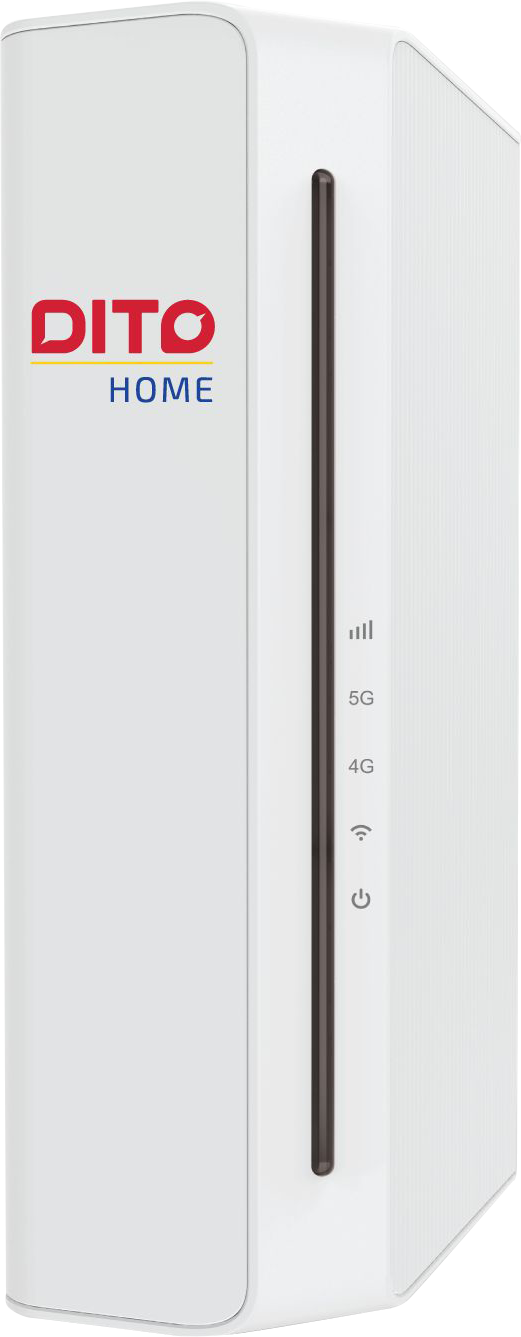
• One (1) WOWFi Ultra Modem (Up to 500 Mbps)
• One (1) DITO Home SIM card
Plug-and-Play
Easily install the kit yourself, no need to wait for professional installers. Just set it up and it’s good to go!
Activate your modem in 4 easy steps! (Make sure to download DITO App first)
• Step 1: DOWNLOAD DITO APP! Make sure to download the DITO App for an easy activation process.
• Step 2: POWER UP! Your WOWFi SIM is already in your modem. Just plug in the modem and wait for the lights to turn on.
• Step 3: CONNECT! On your phone, connect to the WOWFi network using the name and password on the device.
• Step 4: REGISTER AND SURF! Open the DITO App, tap “Register your DITO SIM Card” and follow the on-screen steps. Make sure your DITO App is up to date, and you’re connected to the WOWFi network for a smooth registration.
Load options are flexible and affordable! Choose the promo that works best for you
• 100GB – P590 valid for 30 days
• UNLI 5G - P690 valid for 15 days
• UNLI 5G - P1090 valid for 30 days
Reminders
The WOWFi Ultra requires DITO 5G coverage to function properly. Check if your city is within a DITO 5G coverage area (https://dito.ph/network-coverage/5g).
NOTE
Even if your location is within DITO 5G coverage, your actual experience may vary depending on the signal strength. For best results, place your modem near windows or in open areas. Avoid areas with thick walls, basements, or spaces near elevators, as these can weaken the signal. Performance may also be affected by physical obstructions and network congestion.